Time tracking
Automatic Time TrackingRecords apps, websites and documents — no timers to start. Time Tracking with ScreenshotsScreenshots on your timeline as visual proof of work. Idle and Away Time TrackingDetects time away and lets you classify what happened. Specialized Automatic TrackingCaptures Git branches, file paths, window titles and URLs. Workplace TrackingDetects office or remote work automatically by IP rules.Project & Task Management
Assign Time to Project or TaskAssign recorded activity to the right client, project or task. Auto-Tagging RulesRules sort tracked activity into projects and tags. Powerful SearchFind any activity, period or tag across your timeline. Standardized Allowed TagsA team-wide tag structure for clean, comparable reports.Reports & Billing
Time Tracking ReportsOvertime, attendance, productivity and usage reports. Automated Email Time ReportsDaily, weekly or monthly reports delivered to inboxes. Invoice from TimesheetTurn approved timesheets into invoices, no re-entry. Productivity CategorizationRate apps and websites by productivity, per team. Timesheet ReportingBillable-ready timesheets with rounding and templates.Attendance & Leave
Attendance and Vacation TrackingAttendance from real activity, leave quotas and approvals. Work Time and Overtime TrackingTrack presence, overtime and late arrivals with rules.Deployment, Privacy & Integrations
Integrations and Time Tracking APIJira, GitHub, Asana, REST API and direct database access. Cloud or On-PremiseFast cloud setup or full data control on your servers. Privacy ControlDecide what is recorded, when, and what is shared. MCP Server for AI Time TrackingAsk Claude and other AI tools about your tracked time. Self-Hosted Time Tracking DeploymentRun ManicTime Server on Docker or Azure, under your control.Last from blog
All articles

ManicTime v2026.3 Beta - What's New
Industries
Time tracking
Automatic Time Tracking Time Tracking with Screenshots Idle and Away Time Tracking Specialized Automatic Tracking Workplace TrackingProject & Task Management
Assign Time to Project or Task Auto-Tagging Rules Powerful Search Standardized Allowed TagsReports & Billing
Time Tracking Reports Automated Email Time Reports Invoice from Timesheet Productivity Categorization Timesheet ReportingAttendance & Leave
Attendance and Vacation Tracking Work Time and Overtime TrackingDeployment, Privacy & Integrations
Integrations and Time Tracking API Cloud or On-Premise Privacy Control MCP Server for AI Time Tracking Self-Hosted Time Tracking DeploymentIndustries
Accountants Architects Designers Freelancers Government Teams IT Services & MSPs Lawyers Managers Nonprofits Remote Teams Software developers StartupsTeam size
Individual users Small teams Large teams & enterpriseIntegrations
All integrations Asana Azure DevOps Basecamp ConnectWise PSA FreshBooks GitHub Harvest Jira QuickBooks Online Scoro WorkflowMaxWe donโt just talk the talk โ we live it, too. So, get comfortable and explore what truly matters to us.
Six practical MCP prompts for turning ManicTime activity into reviewable AI-assisted tags using history, tickets, approved team tags, git branches, and virtual desktops.
Read article
The ManicTime data retention feature deletes old automatically tracked data from the server and connected clients, helping organizations enforce privacy and compliance policies.
Read article
ManicTime v2026.2 Beta extends MCP support on Cloud and Server, adds SingleCase integration, GNOME 49 support, Android 16 KB page support, mobile location deletion, and richer exports.
Read articleAutomatic time tracking records your day in the background, so you can review and tag time after the fact. Here is why it beats stopwatch timers for fragmented, real-world work.
Read articleA browser update can sometimes break website tracking in ManicTime. This article explains why it happens, how ManicTime gets URLs from browsers, and why installing the browser extension is usually the most reliable fix.
Read articleA local-first Chrome extension that automatically tracks browser activity, turns it into tagged time, and exports timesheets. No account required.
Read article
Connect ManicTime Cloud to ChatGPT, Claude, and other MCP-compatible AI tools using your cloud MCP URL and OAuth credentials from ManicTime Cloud.
Read articleManicTime v2026.1 adds an MCP server that lets you connect your preferred AI tool to turn recorded computer activity into tagged, timesheet-ready entries automatically
Read article
ManicTime v2026.1 Beta adds AI integration via MCP, WebP screenshot support, and major Day view improvements on the cloud / server.
Read article
ManicTime Server is now available on Azure Marketplace allowing teams to deploy and run it inside their Azure account.
Read article
Our biggest discount of the year is here — 50% off ManicTime subscriptions and licenses through December 2nd.
Read article
ManicTime lets you easily select time by dragging across timelines, using checkboxes or applying filters
Read article
ManicTime 2025.3 beta introduces experimental data retention for GDPR and similar data protection requirements, redesigned UI with relocated menus, half-day leave support and more...
Read article
Learn how ManicTime calculates work time, overtime, and leave, and where these settings affect reports and dashboards.
Read article
Get ManicTime Server running with PostgreSQL using Docker step by step — no scripts, no config files. Just terminal commands. Or use the one-command script from GitHub.
Read article
Manage teams better with full control of time data, real productivity insights, and integrations that match your workflow.
Read article
Advanced tips and features to help you understand, optimize, and act on your time tracking data.
Read article
ManicTime is a scalable, privacy-first time tracking solution built for enterprise control and integration.
Read article
ManicTime gives you complete control over your time tracking data with flexible deployment options, fully offline on-premise or self hosted in the cloud.
Read article
We’re updating the price of ManicTime Pro’s perpetual license for the first time in 15 years to reflect added features and inflation, while cloud pricing remains unchanged.
Read article
The 2025.2 Beta brings new personal email reports, redesigned dashboards, Active Directory support on Server, and a range of usability improvements and fixes on Windows.
Read articleEven the best software can crash. This guide will help you figure out what went wrong with ManicTime and show you how to fix it quickly.
Read article
Learn how ManicTime detects inactivity, tracks Away Time, and optimizes your time tracking accuracy during breaks and meetings.
Read article
This guide walks you through setting up ManicTime on a Terminal Server to track multiple users efficiently, whether the server runs locally or on a separate machine.
Read article
ManicTime lets you easily track your kids’ computer usage across shared or individual devices by automatically collecting data and sending it to a central server for monitoring.
Read articleLeave feature helps teams track absences vacations, manage leave approvals and set annual leave allowances, ensuring better coordination and transparency.
Read article
ManicTime v2025.1 is now officially released, bringing Compact View, a redesigned Administration section, Workplaces, new email reports, and improved stability across Windows, Mac, Linux, and Cloud platforms.
Read article
The new Workplaces feature in ManicTime tracks productivity by location, showing active and productive time spent in the office versus remote work environments.
Read article
We’ve introduced Compact View in response to user feedback, providing a more space efficient layout that brings back the density and clarity of previous versions.
Read article
This quick-start guide walks you through the essential steps to set up ManicTime, track your work automatically, tag time efficiently, automate categorization with AutoTags, and generate customized timesheets and invoices.
Read article
Easily track and sync your work hours in Jira using ManicTime’s automatic time tracking and Jira integration, eliminating manual time entry and ensuring accurate work logs.
Read article
Efficient manual tagging in ManicTime ensures accurate time tracking, improves billing precision, and maintains a consistent tagging system to ensure organization and clarity
Read article
Efficient manual tagging in ManicTime ensures accurate time tracking, improves billing precision, and maintains a consistent tagging system to ensure organization and clarity
Read article
This autotags guide provides a quick and practical approach to setting up and refining autotags in ManicTime, enabling efficient tracking of work activities with minimal effort.

Read article
The Autotag Timeline in ManicTime helps automate tagging but can also be used to create a variety of custom reports.
Read article
An overview of ManicTime's new AI-powered automatic categorization feature and how it handles data with privacy in mind.

Read article
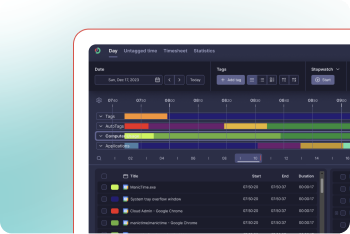
In this first blog post, we focus on the present: the release of ManicTime 2024.3, highlighting a major UI redesign on the Windows client.
Read article